Threats and Mitigations
This page describes all concepts related to the terms threat and mitigation.
Threat Sources
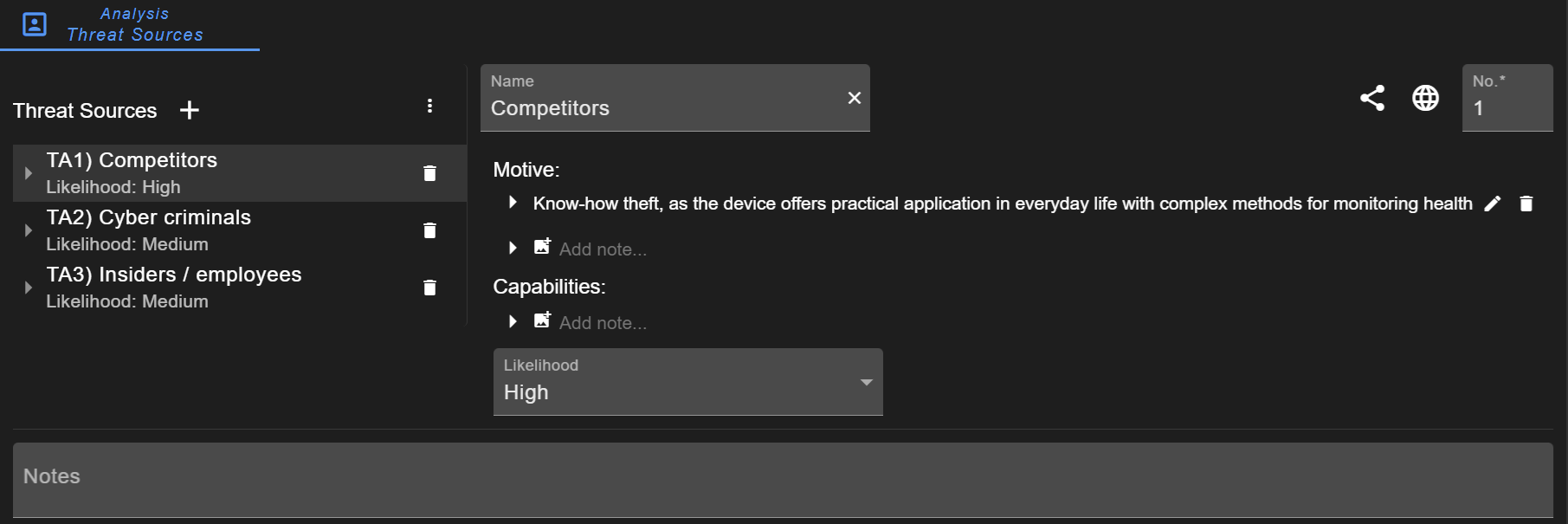
A list of threat sources can be defined. For each threat source (or threat actor), the motive and capabilities can be described and their likelihood assessed. These threat actors can optionally be referenced in attack scenarios. A more detailed description is provided in the configuration of Threat Sources.
Info
Mapping threat sources to attack scenarios is deactivated in new projects by default. To activate it, go to Project Information and activate the setting Mapping: threat source to attack scenario (see Project Settings).
System Threat
System threats can also be considered as threat scenario, damage scenario, or violation scenario. The intention is to identify WHAT threats can occur compared to attack scenarios describing HOW threats are conducted. System threats focus on the outcome / impact / consequences of an attack.
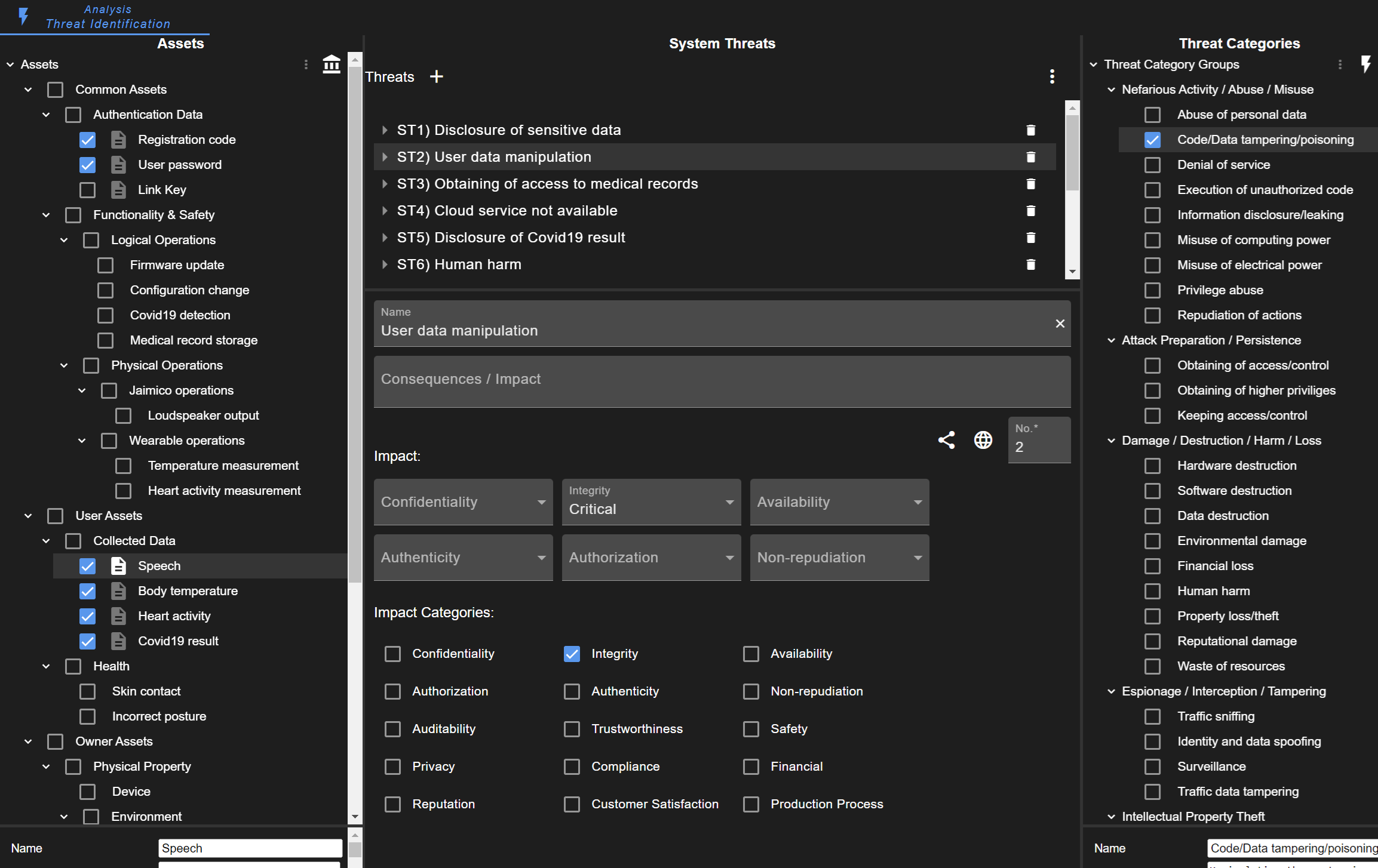
The intention of the threat identification view is to support finding system threats. On the left side, there is a list of the defined assets. On the right side, there is a list of pre-configured threat categories. Users should consider all identified assets and, with the use of threat categories, find threats for these assets.
The impact should be rated for each protection goal. It is recommended to add a system threat for each protection goal separately, as this improves the risk assessment.
Attack Scenario
Attack scenarios are the link between many modeled information. They are always associated with an element (target).
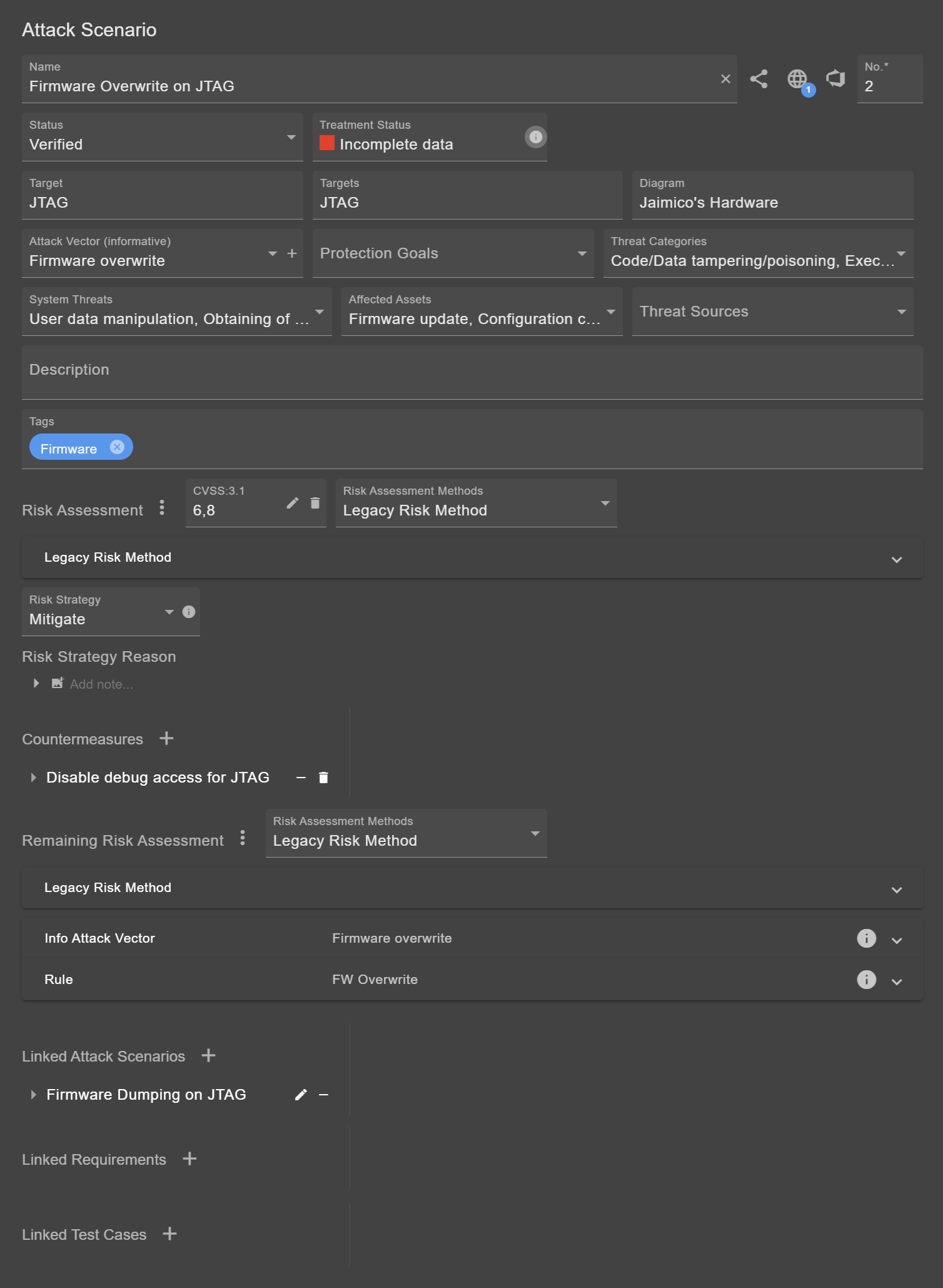
Besides name and number, there are a few buttons for links, which are further described in Traceability.
Status
The status field is important especially for generated threats. These do not necessarily applied and should be investigated manually. Attack scenarios of the state "Not applicable" or "Duplicate" are ignored in risk tables and reports. Not applicable scenarios are still shown in the respective diagram, sorted to the end of the attack scenario list. Note that the states "Not applicable" or "Duplicate" may only exist in the default configuration, as these states can be customized (see Status Fields).
Treatment Status
The treatment status can be seen as completion check. The risk of a scenario must be assessed. Depending on the outcome, countermeasures must be defined and the risk re-rated. The reason for the current treatment status can be viewed by clicking on the info button  . These states exist:
- Not passed: Shown when the remaining risk does not reach an acceptable risk (as defined for the respective method).
- Incomplete data: Shown when evaluation is not completed, e.g., risk not set or countermeasures not defined.
- Not yet completed: Shown when defined countermeasure are not sufficient or not finished (status not implemented).
- Passed: Shown when the risk is acceptable, all countermeasures are implemented, or the scenario is not applicable.
Further Fields
As mentioned before, scenarios must be linked to an element. This element is usually the target. If the scenario applies for multiple elements, these are listed in the targets field.
Adding an Attack Vector and Threat Categories is optional but may simplify and accelerate the assessment process. Defining the Threat Sources is optional (the field can be activated/deactivated in the Project Settings).
It is recommended to define the Protection Goals, System Threats, and affected Assets. These are important for a consistent and comprehensible risk assessment. Setting these fields may automatically assign the risk metrics. Furthermore, it is possible to link Assumptions & Constraints.
Tip
It is advisable to link assumptions to individual metrics when evaluating the risk. Assumptions can be associated with a rating, which can then be easily changed later.
Risk Assessment
The fields for risk assessment (and remaining risk assessment) are described separately.
There are four common strategies for risk mitigation. These can be viewed by clicking on the related info button  .
.
- Avoid: Avoiding risk means removing a functionality/service/feature. Therefore, risk avoidance is the most effective strategy, but most rarely used one.
- Mitigate: Mitigating risk means applying technical measures or controls to reduce the likelihood or impact of an attack. It is the most common strategy to deal with risk.
- Transfer: Transferring risk means shifting the responsibility (or potential costs of an incident) to another person or organization.
- Accept: Accepting risk means proceeding despite the possible threat. It is common procedure to accept lower risk in order to focus on the highest risks.
Linking other Objects
Furthermore, new or existing countermeasures can be added. It is possible to link other attack scenarios, checklist requirements, and test cases.
Countermeasure
The structure of a countermeasures is similar to that of attack scenarios. Like attack vectors for attack scenarios, there are controls for countermeasures providing more details on the countermeasure type.
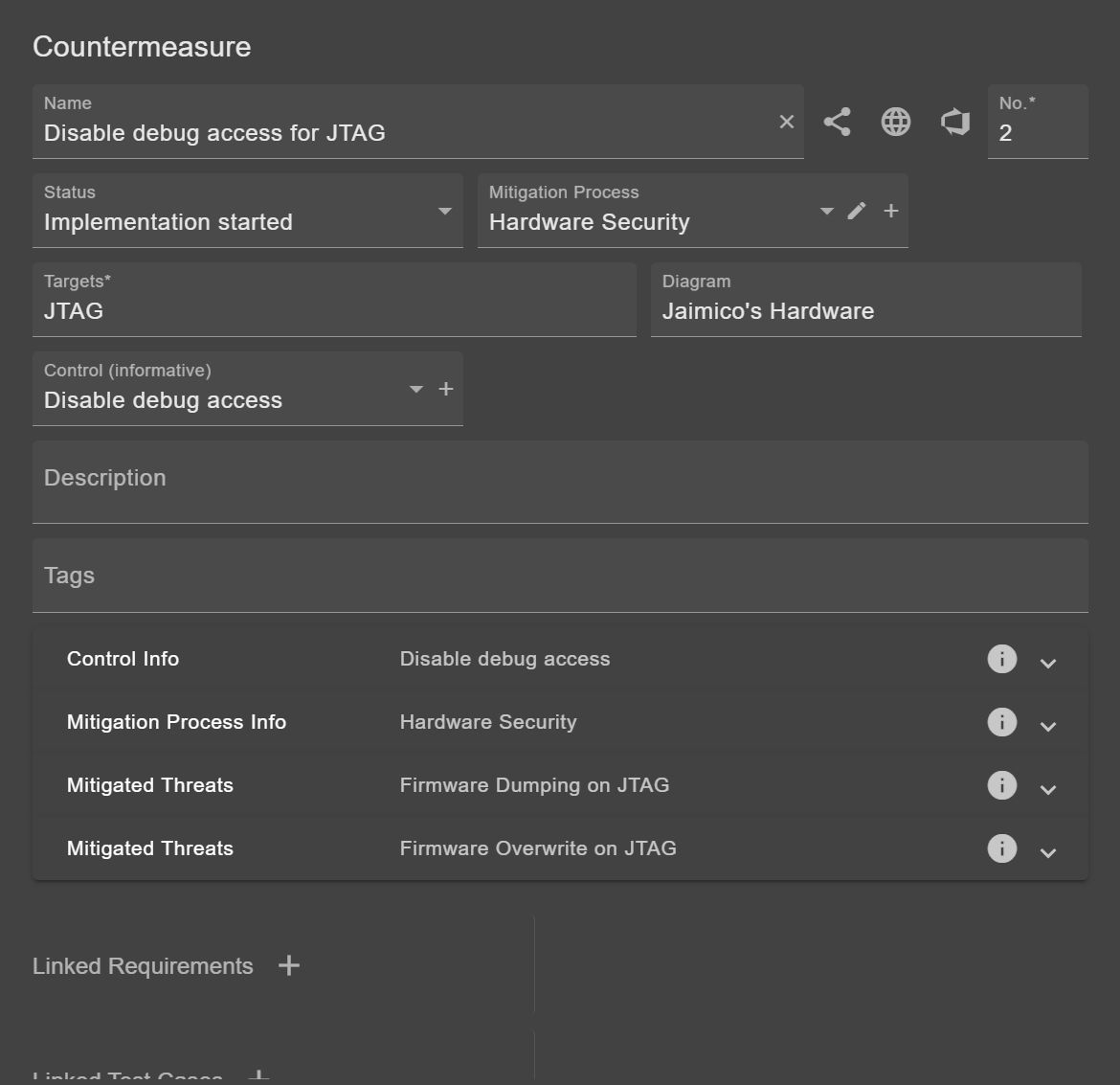
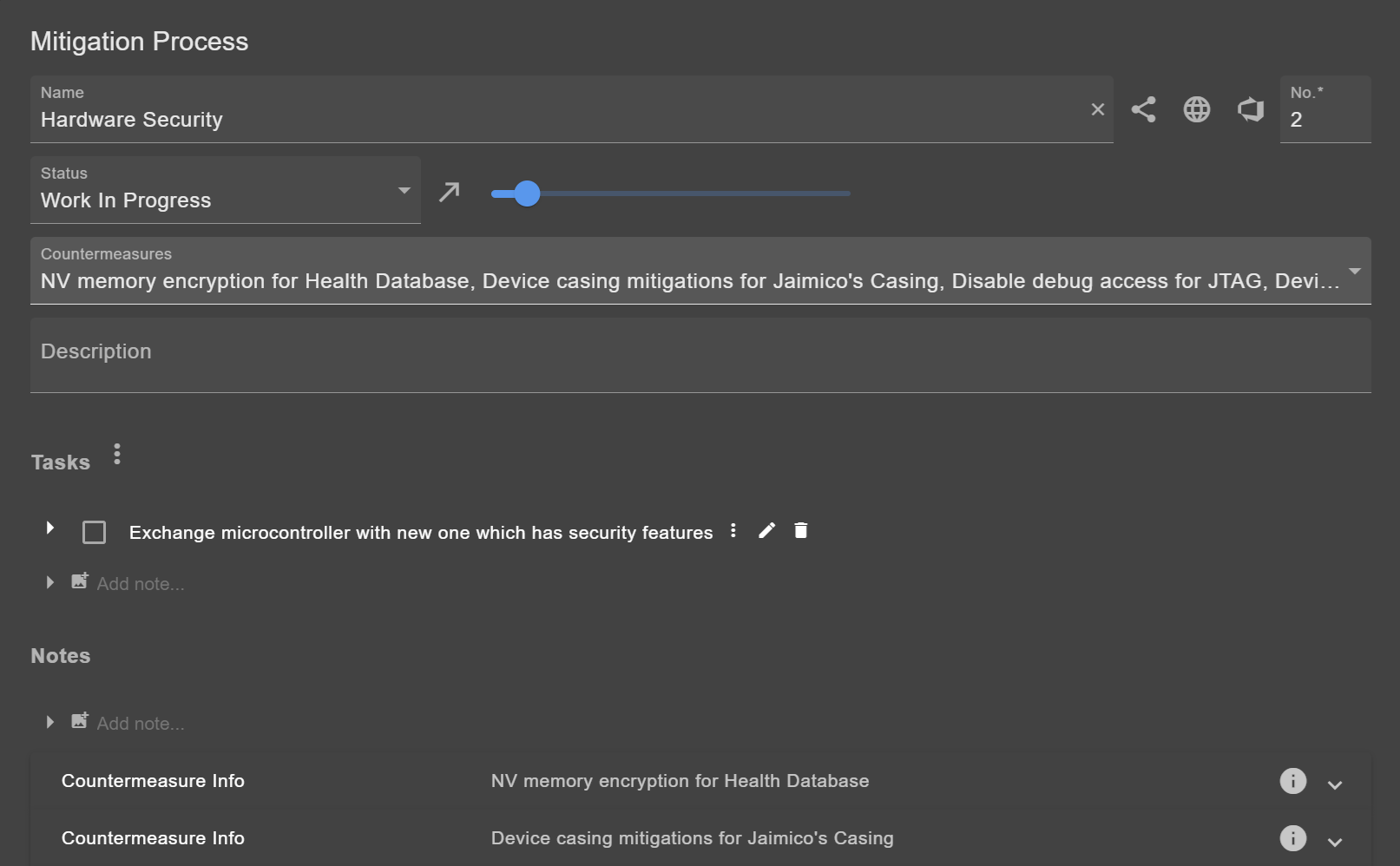
Mitigation Process
Multiple countermeasures can be grouped in a mitigation process. This can be useful for clustering dozens of countermeasures.