Report
The tool includes a predefined report that can be downloaded. Furthermore, a custom report template can be defined, which will be used to generate the report.
The generated report can be downloaded in four different formats:
- HTML
- DOCX (Word)
- LaTeX (zip file containing a TEX file and all images separately)
- Markdown (zip file containing a MD file and all images separately)
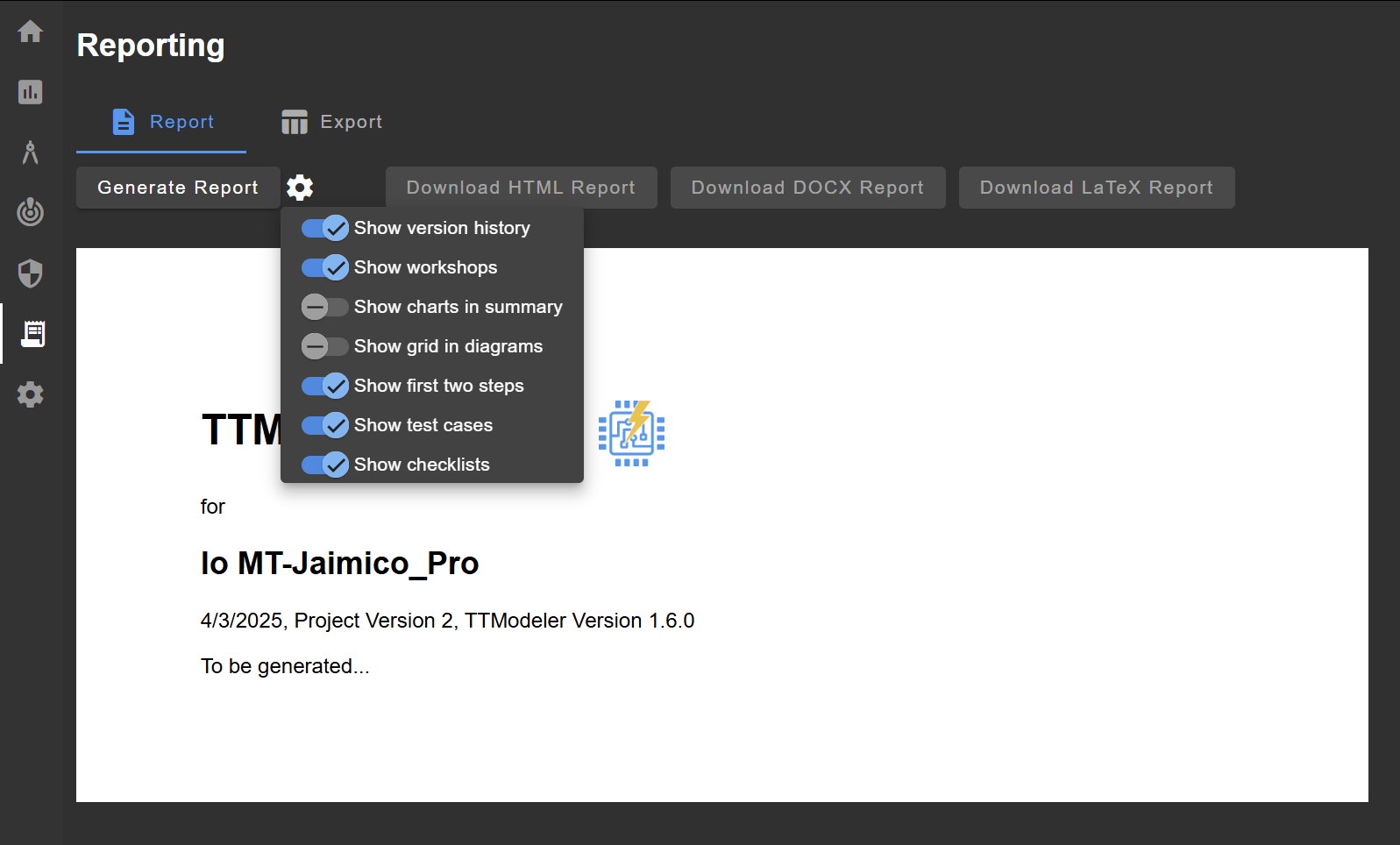
General Report Settings
There are a few general report settings valid for default and custom reports:
- Show grid in diagrams: show or hide the grid in diagrams
- Show legend in diagrams: show or hide a legend below diagrams
- Show charts instead of tables: for dashboard charts either a visual chart or a table can be generated
Default Report
The content and structure of the report is mainly predefined. There are a few settings available:
- Show version history: includes the version history from Modeling > Project Information.
- Show workshops: includes the workshops from Modeling > Project Information.
- Show first two steps: includes the results of Characterization & Scope and Business Objectives & Impact.
- Show test cases: includes the test cases (if enabled).
- Show checklists: includes checklists (if added).
Custom Report
Warning
This is an experimental feature. Feedback is highly welcome! Please report any issues or suggestions through the Bug Report feature or contact messages.
Custom report templates are markdown-inspired templates that can be used by users to create their own report style. During generation, the template will be parsed, filled with content, and converted to the other file formats.
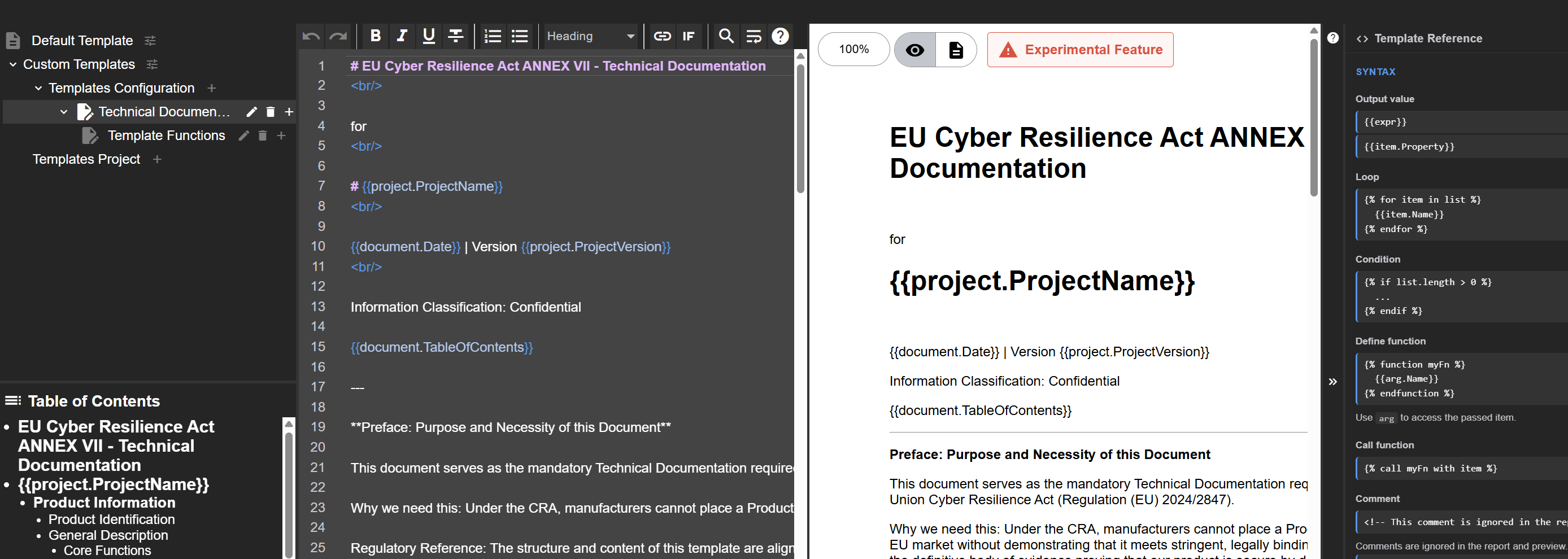
Templates can be stored either in the project or configuration file. Recommendation: Store templates in the configuration, if the templates should be shared in multiple projects and are not intended to be changed by the user. In all other cases, store them in the project.
Templates can be hierarchically structured. It is advised to store reusable sections and functions in so-called sub-templates.
Use the in-tool help to see details about the syntax and available variables and their properties.
Further details on the syntax are described in the Report Template Reference.